For the complete documentation index, see llms.txt. Markdown versions of all docs pages are available by appending .md to any docs URL.
Using kagent agents via MCP
Connect external clients like Cursor and Claude to interact with kagent agents using the Model Context Protocol.
kagent exposes all running agents via a Model Context Protocol (MCP) server embedded in the control plane HTTP server. This allows you to interact with your kagent agents using any MCP-compliant client at http://<IP_ADDRESS>/mcp.
Setting up
Connect your MCP client to the kagent MCP endpoint using the Streamable HTTP transport.
Local Development
If you are running kagent locally, you can port-forward the control plane service:
kubectl port-forward -n kagent svc/kagent-controller 8083:8083Then use http://localhost:8080/mcp as your MCP endpoint. Otherwise, use the IP address of your kagent control plane.
Example: Cursor Configuration
Add the following to your Cursor MCP settings:
{
  "mcpServers": {
    "kagent-agents": {
      "url": "http://localhost:8083/mcp"
    }
  }
}
Note: Ensure the port matches your local setup (e.g., 8083).
Example: Claude Code
To add kagent to Claude Code:
claude mcp add --transport http kagent http://localhost:8083/mcpAdd --scope project to limit the configuration to the current project.
SSE (Server-Sent Events) is currently not supported. You must use Streamable HTTP. Future updates will include stdio support via the CLI.
Using the MCP Server
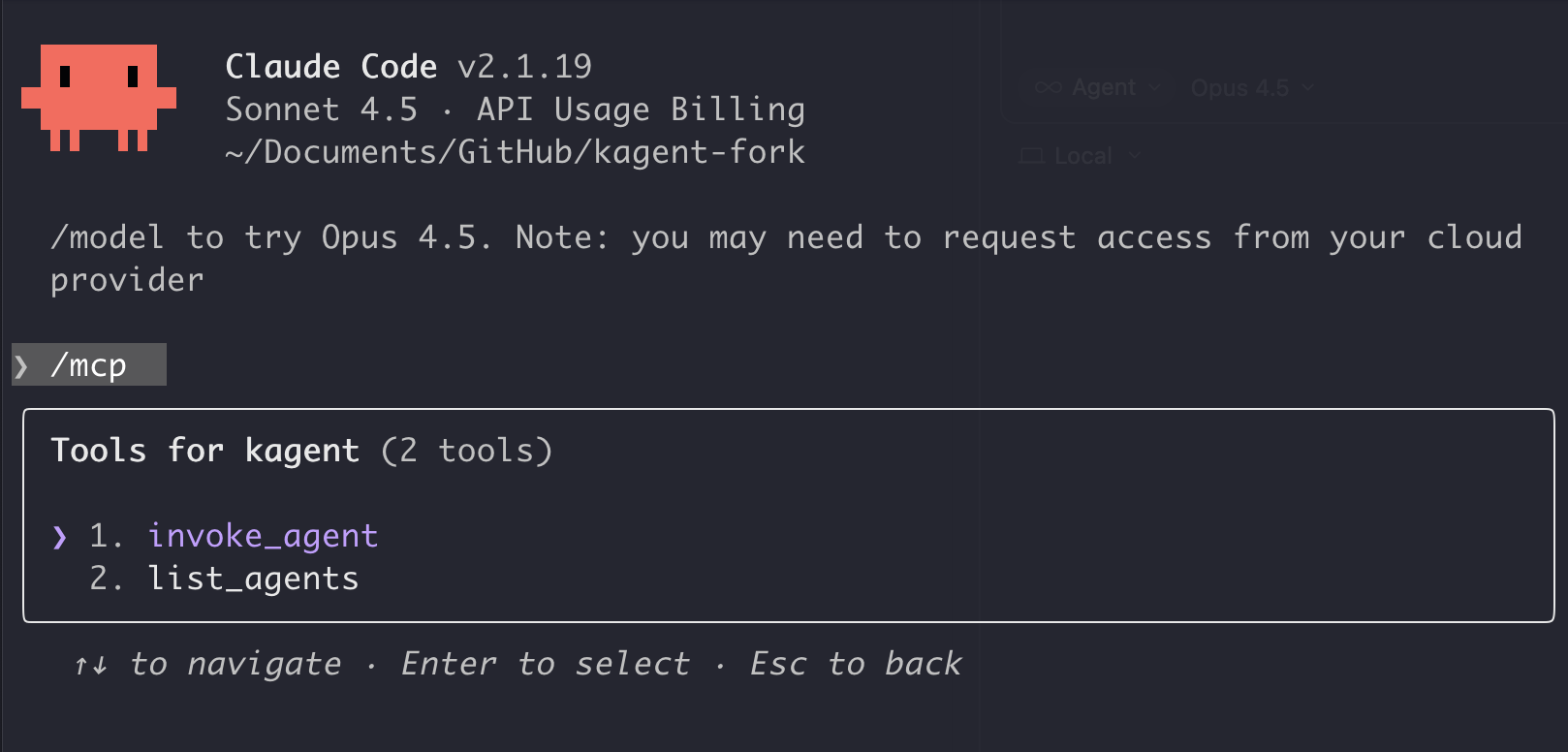
The MCP server exposes two core tools:
list_agents: Lists all available agents.invoke_agent: Runs a specific agent by name with a given input. SupportssessionIDfor continuing conversations.
This architecture enables MCP clients (like Cursor or other agents) to discover and orchestrate kagent agents as “sub-agents,” delegating specialized tasks or cluster actions securely.
Tools Overview
Example Usage
Here is an example of asking Claude about a Kubernetes cluster:
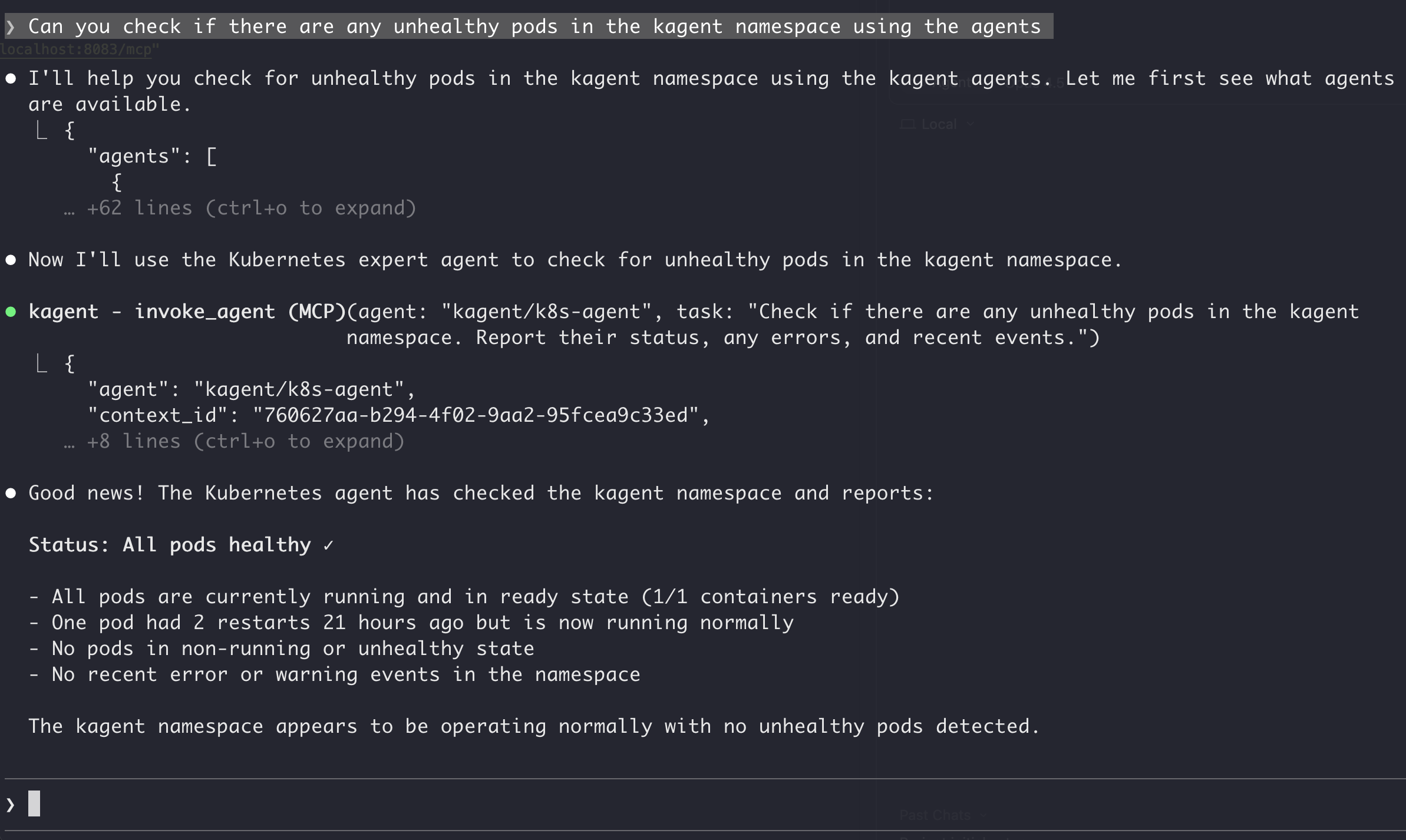
In this workflow, the client first calls list_agents to discover capabilities, then calls invoke_agent to execute the k8s-agent with the user’s query.
Try it out and see what you can do! Feel free to open issues for feedback or suggestions.