For the complete documentation index, see llms.txt. Markdown versions of all docs pages are available by appending .md to any docs URL.
kagent Architecture
Explore the high-level architecture of kagent, including its core components like the Controller, App/Engine, CLI, and Dashboard.
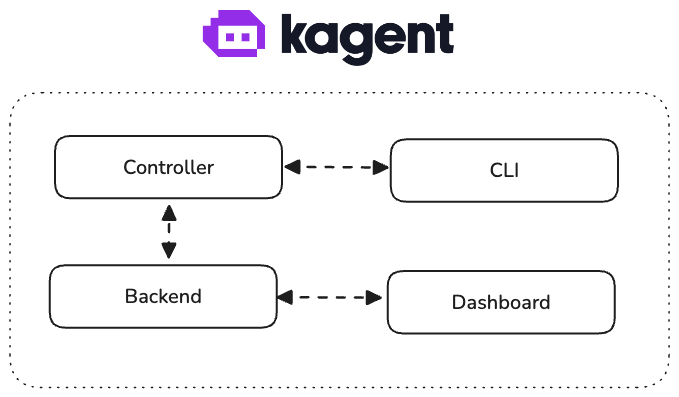
kagent consists of multiple components running inside and outside of Kubernetes cluster.
Controller
The kagent controller is a Kubernetes controller, written in Go, that knows how to handle custom CRDs for creating and managing AI agents in the cluster.
In the future, we envision more features for the controller, such as:
- Native MCP server for our built-in tools
App/Engine
The kagent engine is the core component of kagent. It runs the agent’s conversation loop and supports two runtimes:
- Python ADK (default) — Built on top of the Google ADK framework. Supports Google ADK-native features and integrations with CrewAI, LangGraph, and OpenAI frameworks.
- Go ADK — A native Go implementation that provides faster startup (~2 seconds vs ~15 seconds) and lower resource consumption.
Select the runtime by setting the runtime field in the agent spec (e.g., runtime: go). Both runtimes support MCP tools, HITL, and agent memory. For more details, see Agents.
For more information on the Google ADK framework:
CLI
kagent CLI is one of the entry points to kagent. The CLI connects to the engine and allows you to manage resources and interact with agents.
The CLI offers a way to interact with the engine for those who prefer a CLI interface to the UI dashboard.
Dashboard (UI)
kagent dashboard provides a web interface for managing and working with AI agents. Is it the simplest way to get started with kagent.
kagent dashboard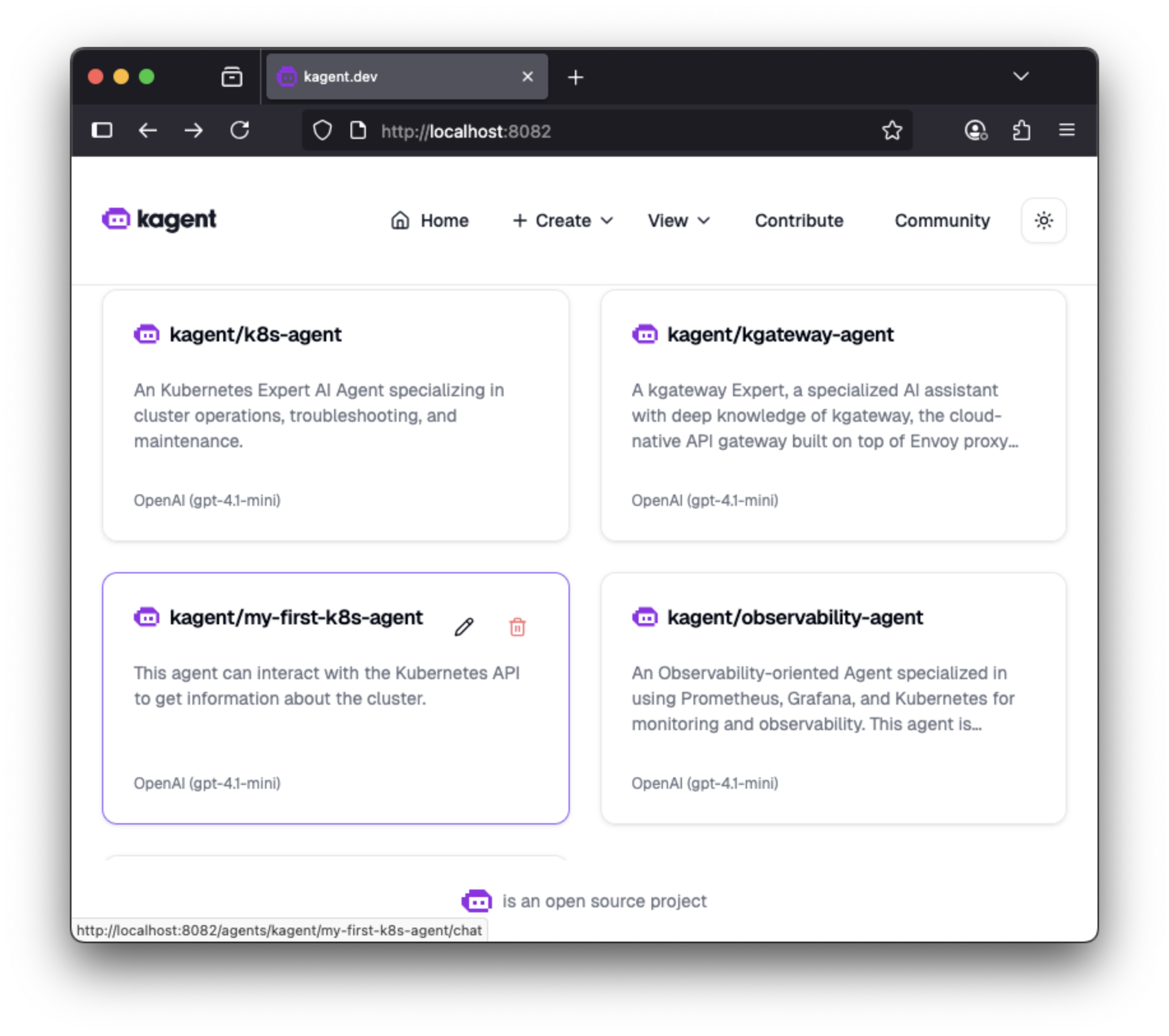
Next Steps
- Try building your own agent
- Join our Community